
Getting started
Add the package, render a reply, and handle taps, text style, right-to-left text and selection.
Install
Section titled “Install”flutter pub add gpt_markdowndependencies: gpt_markdown: ^1.4.1import 'package:gpt_markdown/gpt_markdown.dart';One import brings in the widget, the style classes, the builder typedefs and
GptMarkdownConfig.
Render something
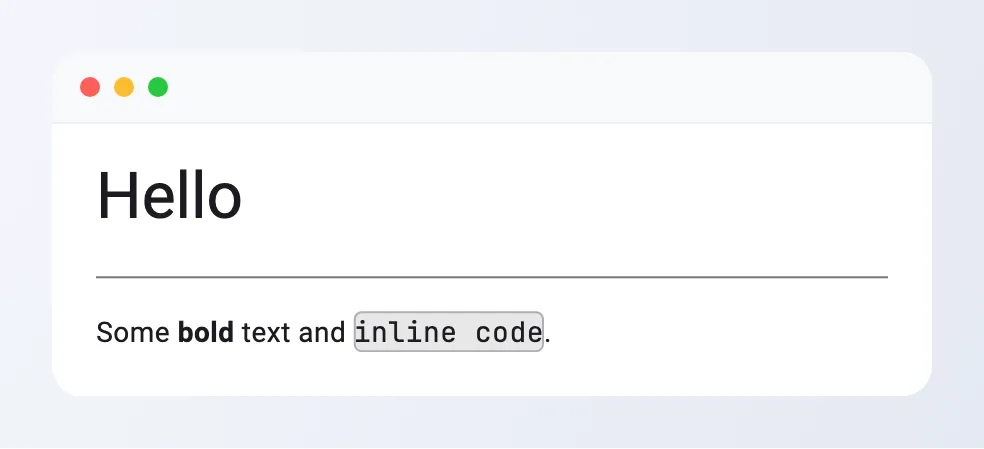
Section titled “Render something”GptMarkdown('# Hello\n\nSome **bold** text and `inline code`.')That is the whole minimum. It renders like this:
SingleChildScrollView( padding: const EdgeInsets.all(16), child: GptMarkdown(reply),)In a chat list, one per bubble:
ListView.builder( itemCount: messages.length, itemBuilder: (context, i) => Padding( padding: const EdgeInsets.symmetric(vertical: 8), child: GptMarkdown(messages[i].text), ),)Handling taps
Section titled “Handling taps”Links do nothing on their own. The package does not depend on a URL launcher, so opening one is your decision.
GptMarkdown( reply, onLinkTap: (url, title) => launchUrlString(url),)onLinkTap: (url, title) { final uri = Uri.tryParse(url); if (uri == null) return; if (uri.scheme != 'https' && uri.scheme != 'mailto') return; launchUrl(uri);},The other callbacks follow the same shape:
GptMarkdown( reply, onImageTap: (url) => openLightbox(url), onCodeCopy: (code) => analytics.log('code_copied'), onSourceTagTap: (content) => showSource(content),)Text style
Section titled “Text style”The surrounding style comes from style; inline code size and list marker size
derive from it. Heading sizes do not: each level takes its style from
GptMarkdownThemeData’s h1 to h6, which default to the Material text theme.
GptMarkdown( reply, style: Theme.of(context).textTheme.bodyMedium,)GptMarkdown( reply, style: const TextStyle(fontSize: 16, height: 1.5), // roomier line spacing)To restyle a component, see customization.
Right to left
Section titled “Right to left”GptMarkdown(reply, textDirection: TextDirection.rtl)textDirection defaults to TextDirection.ltr and nothing reads the ambient
Directionality, so an RTL app passes it here. It governs block layout as well
as text — the document is wrapped in a Directionality, so lists, headings and
quotes take their leading edge from it even inside a page running the other
way. Fenced code keeps its LTR reading order and scroll origin.
Inline widgets — maths, images, links — are placed in the correct visual order in mixed-direction paragraphs, which the framework does not do on its own (flutter#54400).
Selection
Section titled “Selection”Wrap it, the way you would any text:
SelectionArea(child: GptMarkdown(reply))Common mistakes
Section titled “Common mistakes”- Make it look like your app → customization
- Render a reply as it generates → streaming
@mention,#channel, autolinks → inline syntax- Look up every constructor option →
GptMarkdownoptions